

Teams
Introduction
Teams allow you to authorize anyone to access your bot. However, the teammates have access restrictions:
| Permission | Allowed for teammates |
|---|---|
| Get bot's informations | ✅ |
| Get & regen bot's token | ❌ |
| See bot's stats | ✅ |
| Edit team | ❌ |
| Delete bot | ❌ |
| See bot's achievements | ✅ |
| Edit bot's achievements | ❌ |
Edit teammates list
- First, copy the ID of the user you want to give access to your bot.
- Then, go to your Discord Analytics dashboard in the "General" tab
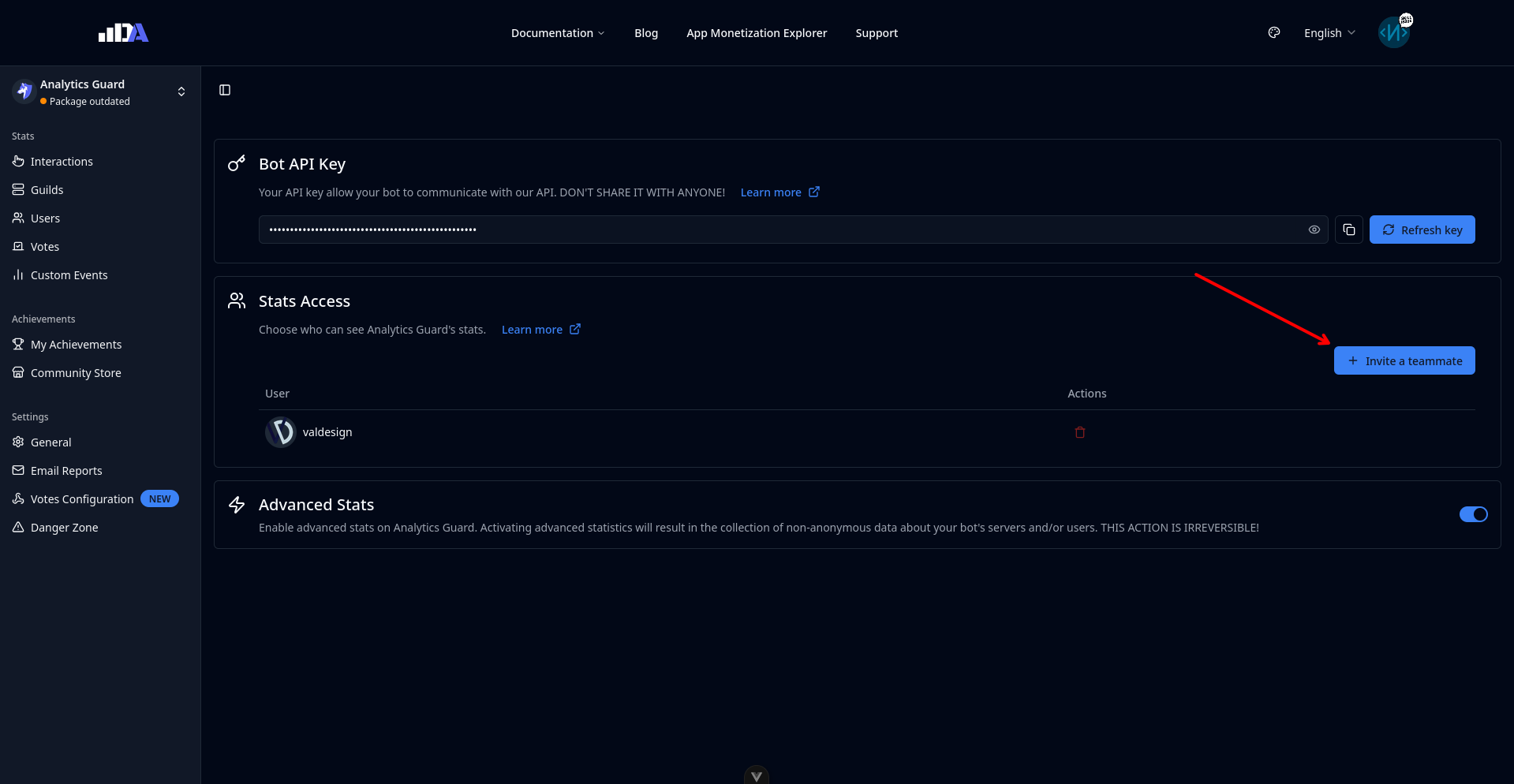
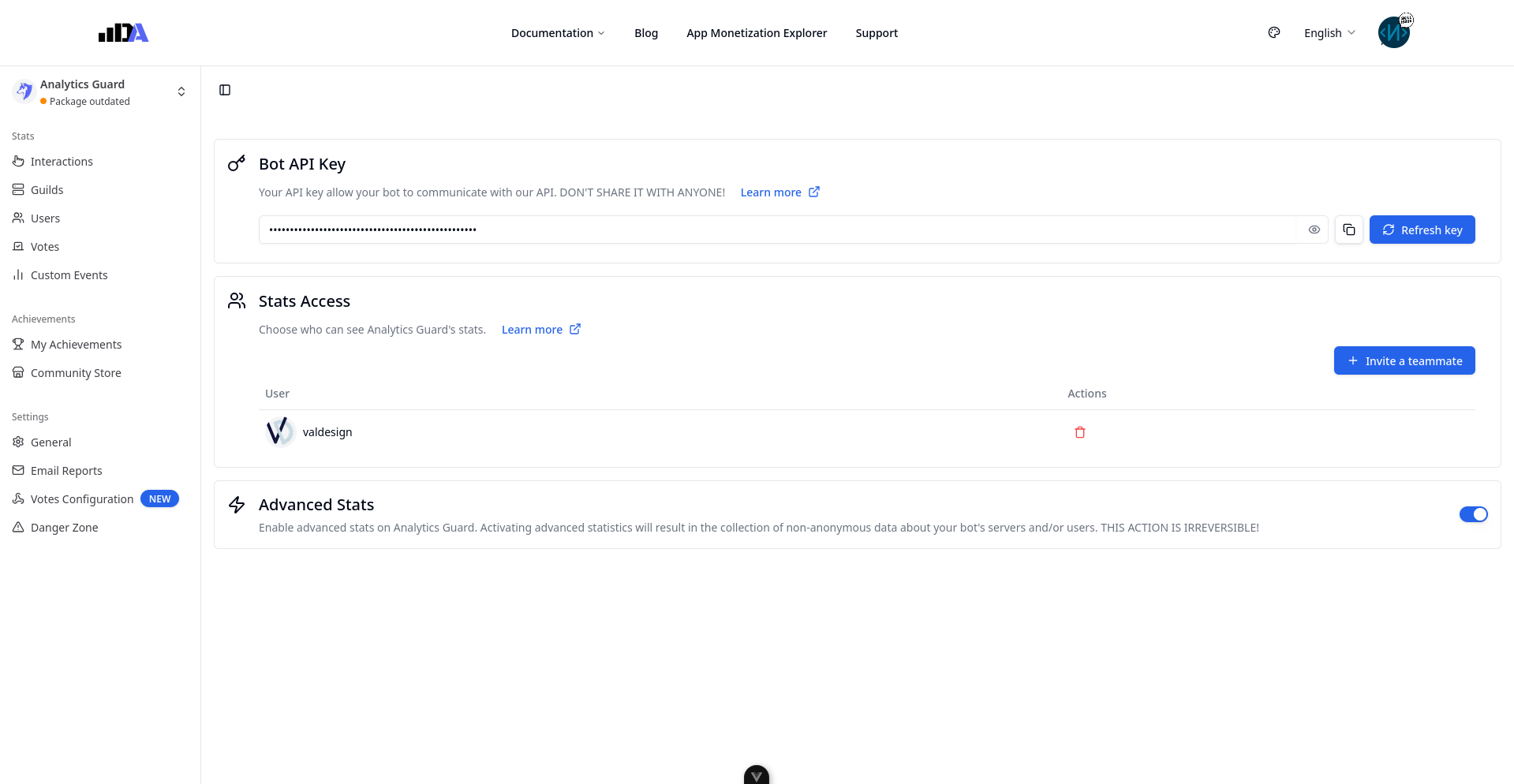
- Click on "Invite a teammate" and paste the ID in the "User ID" field:
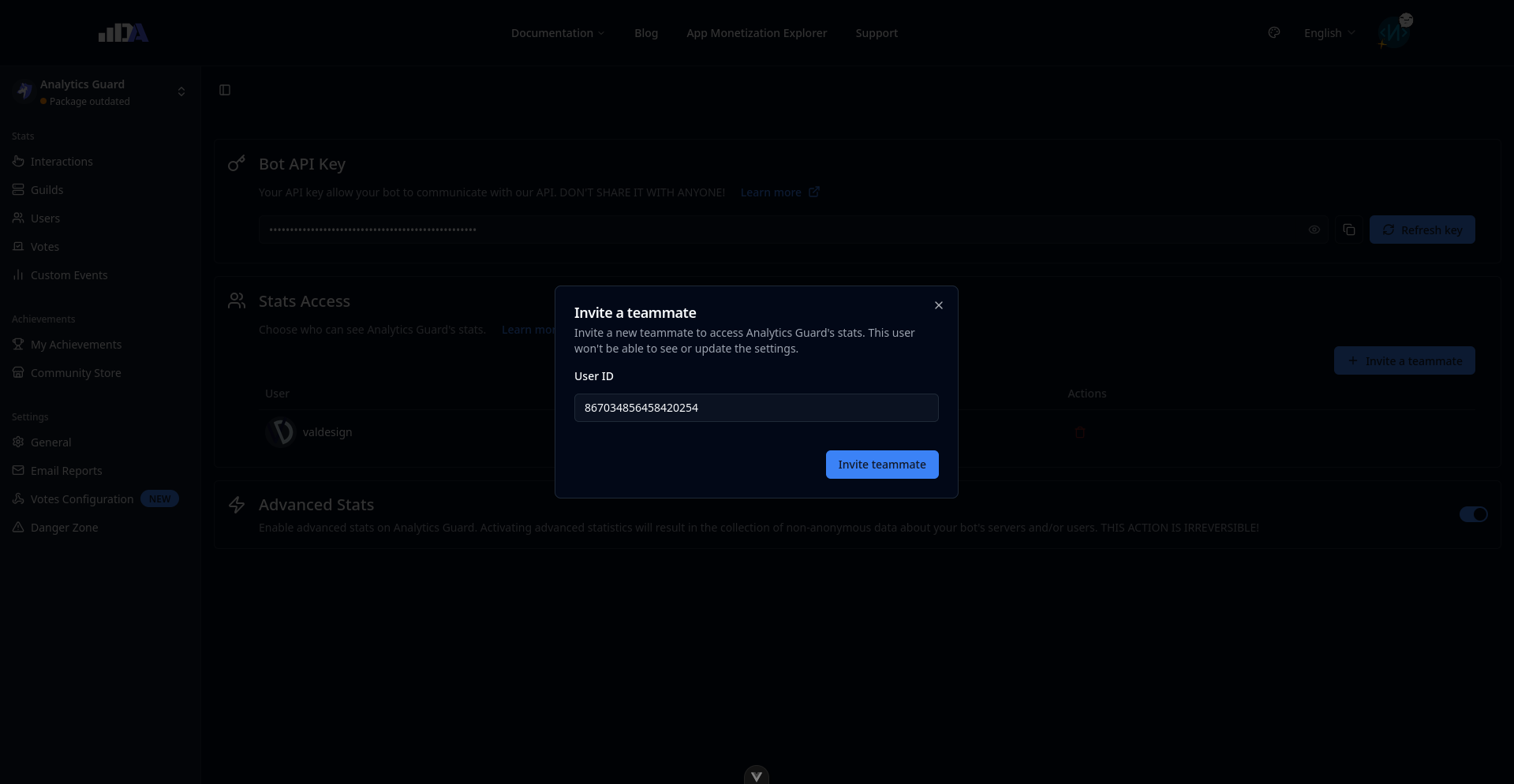
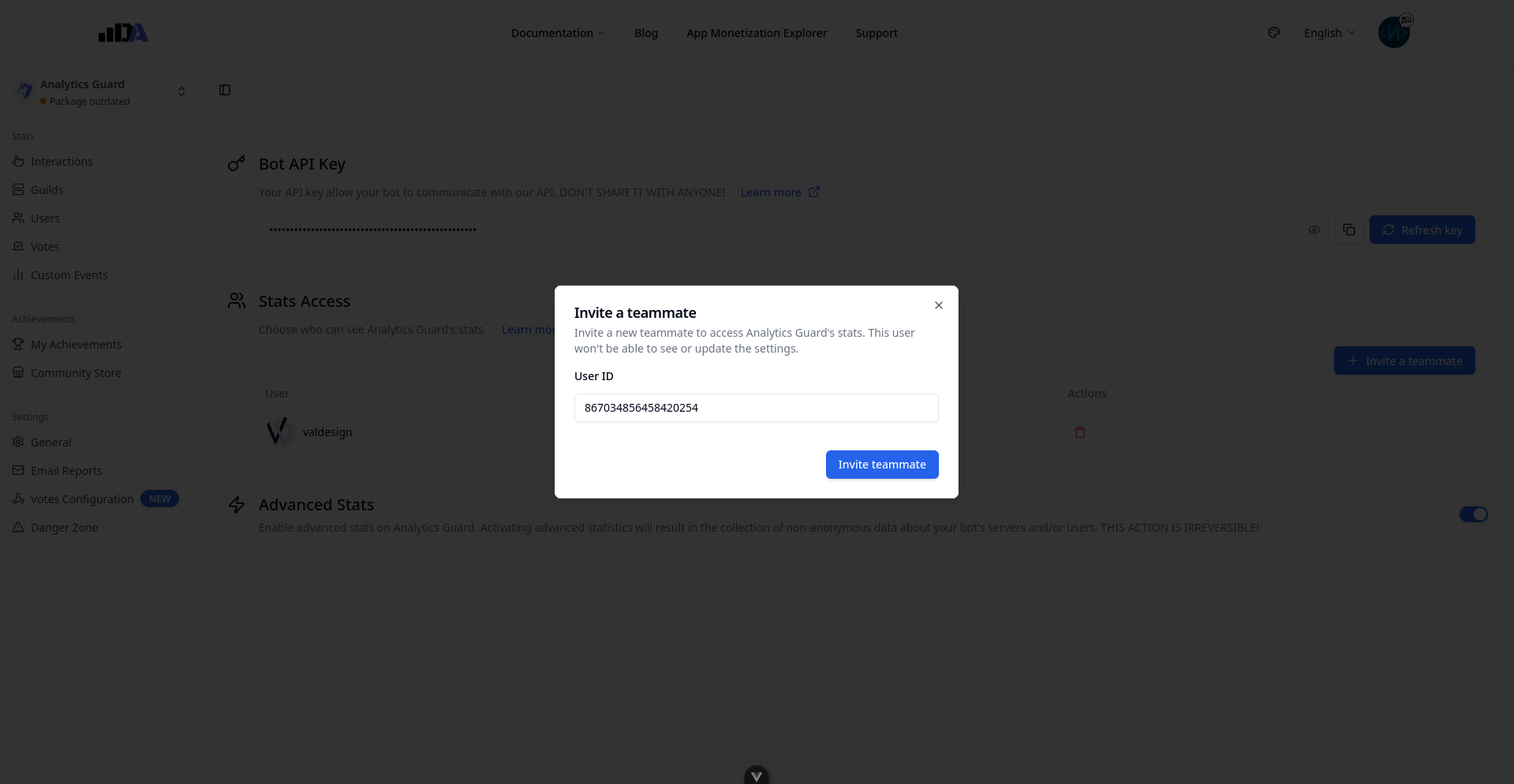
- If possible, we'll notify the user of the invitation, if not you'll the send it by yourself.